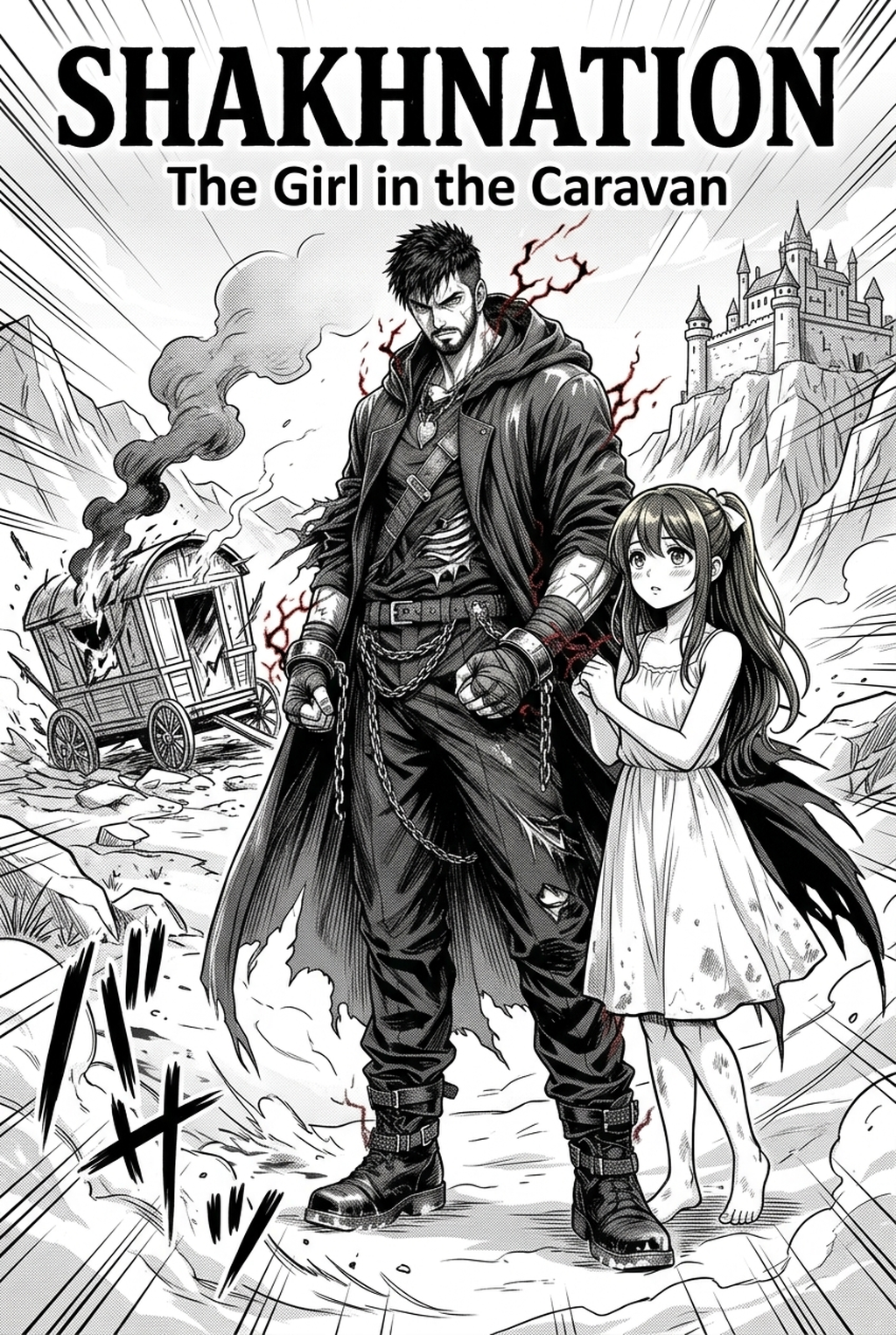
What is AI manga character design workflow?
AI manga character design is trending now because it’s fundamentally changing how manga creators bring their visions to life. It's the process of leveraging artificial intelligence to generate character concepts, refine designs, and produce variations, all based on creator input. This means less time spent on initial sketches and more time focusing on storytelling and refining your manga’s narrative. The workflow typically involves providing detailed text descriptions of your desired character, such as appearance, personality, and clothing. The AI then generates visual designs, which you can iterate on, adjusting features, poses, and styles until they perfectly match your vision. Finally, these refined designs are seamlessly integrated into your manga panels.
The benefits are numerous. First, speed: AI significantly reduces the time spent on character sketching and iteration. Second, consistency: AI helps maintain a unified visual style across multiple panels and chapters, ensuring your characters look the same throughout your manga. Third, experimentation: AI enables you to explore various design ideas quickly and easily, opening up creative possibilities you might not have considered. Fourth, overcoming creative blocks: when you're stuck, AI provides fresh perspectives and sparks new concepts, helping you break through creative hurdles. This workflow is becoming essential for both aspiring and established manga artists looking to improve efficiency and creative output.
Why AI Manga Character Designer matters for manga creators
The shift towards AI manga character design is not just a trend; it's a necessary evolution for manga creators. The demands of producing high-quality manga are immense, and the traditional methods of character design can be incredibly time-consuming. This is where AI steps in, offering a powerful solution to some of the most significant challenges creators face.
Consider the time savings. Character design can eat up a substantial portion of a manga artist's production process. Hours are spent sketching, redrawing, and refining designs. With AI, this process is dramatically streamlined. You can generate multiple character concepts in minutes, allowing you to quickly explore different ideas and find the perfect fit for your story.
Consistency is another critical factor. Maintaining a consistent visual style across hundreds of panels and chapters is challenging. AI helps maintain a unified look, ensuring that your characters are recognizable and visually cohesive throughout your manga. This is especially important for long-running series where character appearances evolve over time.
Experimentation and overcoming creative hurdles are also significant advantages. AI empowers you to experiment with various design ideas rapidly. You can generate multiple variations of a character, trying out different hairstyles, outfits, and expressions. When you're facing creative blocks, AI can provide fresh perspectives and inspire new concepts. It can help you break free from the constraints of your current ideas and push your creativity in new directions.
For a practical workflow, AI Manga Character Designer workflow with Mangaka keeps script input, panel generation, and creator review in one place.
How AI manga character design workflow works with Mangaka
Mangaka offers a streamlined creator workflow designed to empower creators. The process begins with you, the creator, providing detailed text descriptions. The more specific and descriptive your input, the better the results. You might describe a character's age, gender, hairstyle, clothing, and personality traits. You can also specify the desired art style, from classic shonen to modern seinen.
Once you’ve entered your description, Mangaka's AI character designer generates multiple character designs based on your input. You'll be presented with a range of options, each a unique interpretation of your creative brief. Mangaka provides tools to refine these designs. You can adjust features, experiment with different poses, and explore various style options. This iterative process allows you to fine-tune each character until it perfectly matches your vision.
Mangaka's character designer goes beyond simple generation. It allows you to create variations of your characters easily. Need a different pose for a specific scene? Want to see your character in a new outfit? With a few clicks, you can generate variations that fit your needs. Once you're happy with your designs, you can seamlessly integrate them into your manga projects. You can export your characters in various formats, ready to be used in your panels and pages. The platform is designed to make the transition from design to production as smooth as possible.
Use cases for AI Manga Character Designer
The applications of an page workflow are vast, spanning various stages of manga creation. It's a versatile tool that can be used in different ways to enhance your creative process.
- Creating diverse character casts: For a new manga series, the AI can rapidly generate a wide range of characters. You can experiment with different ethnicities, body types, and personalities, ensuring a rich and diverse cast that resonates with your target audience.
- Generating multiple variations: Need different expressions or poses? AI allows you to create multiple variations of a character for different scenes and expressions. This helps maintain visual interest and dynamism throughout your manga.
- Rapid prototyping of designs: AI is invaluable for pitch decks or storyboards. You can quickly prototype character designs, allowing you to visualize your story and get feedback before investing significant time in detailed artwork.
- Generating character sheets: Create comprehensive character sheets for consistent reference. These sheets include various angles, expressions, and outfits, ensuring your characters maintain a consistent appearance throughout your manga. This is particularly helpful for long-running series with multiple artists or assistants.
Step-by-step guide to start with Mangaka
Embarking on your AI manga character design journey with Mangaka is a straightforward process. Here's a step-by-step guide to get you started:
- Create an account: Visit the Mangaka website and sign up for an account. The process is quick and easy, requiring basic information to get you started.
- Navigate the interface: Once logged in, familiarize yourself with the AI character design interface. The layout is designed to be intuitive, with clear options for inputting descriptions, generating designs, and refining characters.
- Write effective character descriptions: The key to getting great results is providing detailed and descriptive text. Include information about your character's appearance (hair, eyes, clothing), personality, and any specific features. The more detail you provide, the better the AI will understand your vision.
- Preview and refine designs: After entering your description, the AI will generate character designs. Preview these designs and use the refinement tools to make adjustments. You can modify features, experiment with poses, and explore different styles until you're satisfied.
- Integrate characters into manga panels: Once you've finalized your character designs, you can seamlessly integrate them into your manga panels. Export your characters in the desired format and import them into your preferred manga creation software.
A reliable page planning workflow workflow starts with a short creative brief: genre, character notes, page count, panel mood, and the target reading direction. That gives Mangaka enough context to keep the generated page useful instead of producing disconnected images.
Creators should review the output for character consistency, panel order, speech-bubble space, and whether the final PNG or PDF can move into editing without redrawing the layout. These checks are faster when the source script and generated panels stay in one workflow.
Before export, creators should compare the page against the scene goal: mood, pose, line weight, readable dialogue, and the format needed for editing or publishing. That review keeps the result useful without repeating the same production advice.
The setup should separate creative direction from production cleanup. A creator can define the genre, page format, character references, and visual tone first, then use Mangaka to turn that direction into cleaner panels for review.
The revision pass should focus on choices a reader will notice: whether the eye moves through panels naturally, whether important actions are readable, and whether the line art supports the genre rather than fighting it.
For broader manga market context, Anime News Network industry coverage is a useful source for tracking publishing formats, creator trends, and audience expectations.
A reliable creator workflow should start with a short brief that names the scene goal, recurring character details, panel mood, and export format. That gives the tool enough context to support the story instead of producing disconnected art assets.
The review pass should check line weight, facial expression, pose clarity, panel order, and dialogue space before export. These checks make the result easier to edit in a drawing app or hand off to collaborators.
Creators should also compare the generated page with the intended reading flow. If a reveal, action beat, or emotional pause lands in the wrong panel, the page needs a quick revision before it becomes production-ready.
For recurring projects, saving character notes and style preferences reduces avoidable rework. A small reference sheet helps future pages stay consistent even when the story moves through different scenes or camera angles.
The Bottom Line
The bottom line: a useful creator workflow keeps the story goal, visual style, and review step clear before export. AI Manga Character Designer gives creators a faster first pass without removing the final human review.
Start creating with AI manga character design workflow when you are ready to turn the reviewed idea into finished manga pages.



Discussion